Finding Canada's naval suppliers with LoQuery
One question, ten facts per company, and a list you can check line by line. This page follows one live research run exactly as it happened, screen by screen, and explains what LoQuery is doing at each step and why it matters.
What we asked, in our own words
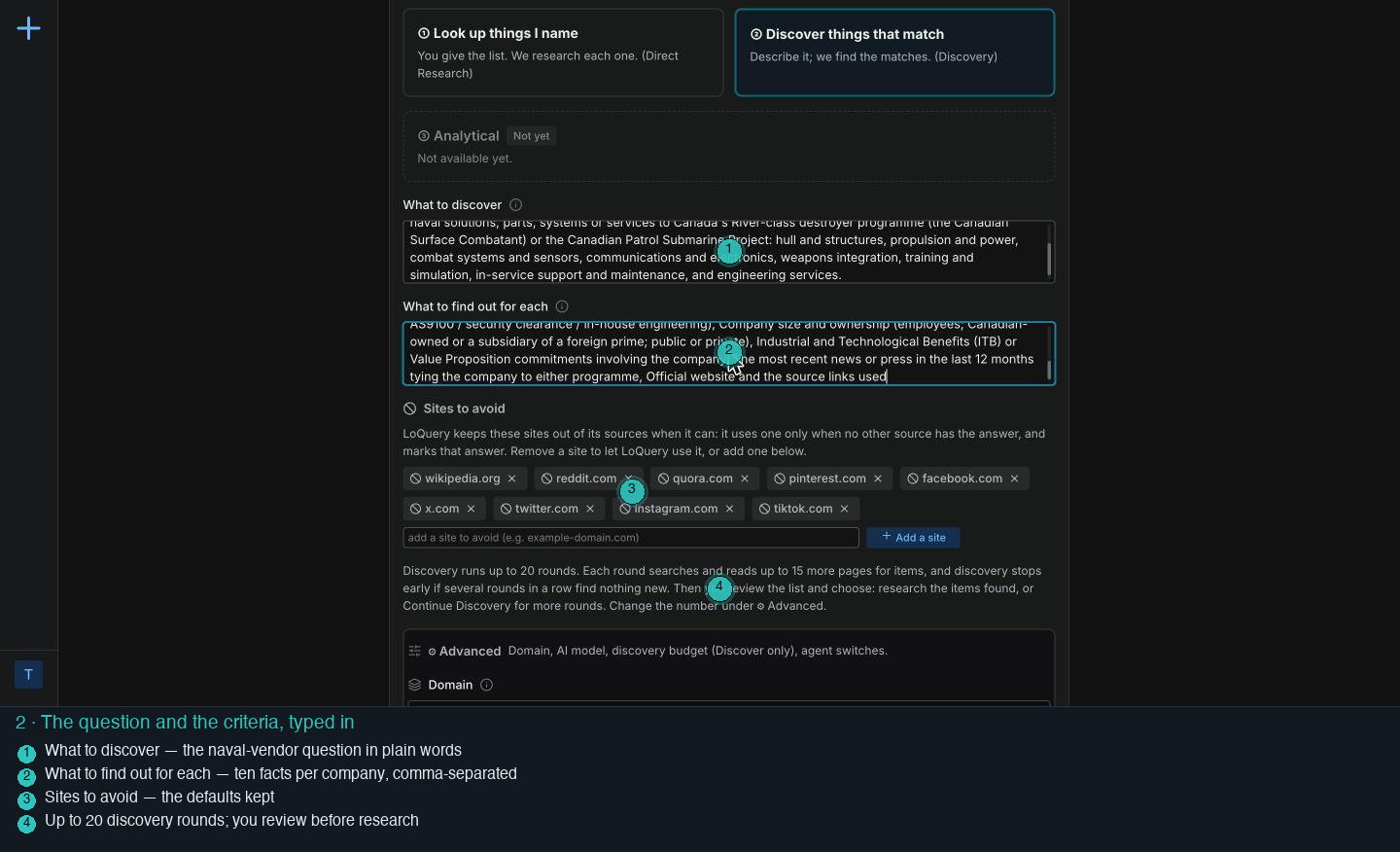
What to find out for each company:
- Company name and Canadian headquarters (city and province)
- What it supplies and its category (hull / propulsion / combat systems / sensors / communications / weapons / training / in-service support / engineering)
- Programme relevance (River-class, submarine, or both) and its role (prime, tier-1 or tier-2, potential supplier)
- Existing contracts or announced work on either programme: awarding body, value, date
- Relevant past naval and defence work
- Key capabilities and certifications (Controlled Goods, ISO 9001 / AS9100, clearance, in-house engineering)
- Company size and ownership
- Industrial and Technological Benefits (ITB) or Value Proposition commitments
- The most recent news (last 12 months) tying the company to either programme
- Official website and the source links used
Where you start
You are signed in. Three things in the header tell you the state of your workspace: whether the browser extension is connected, your balance, and the sessions you ran before.
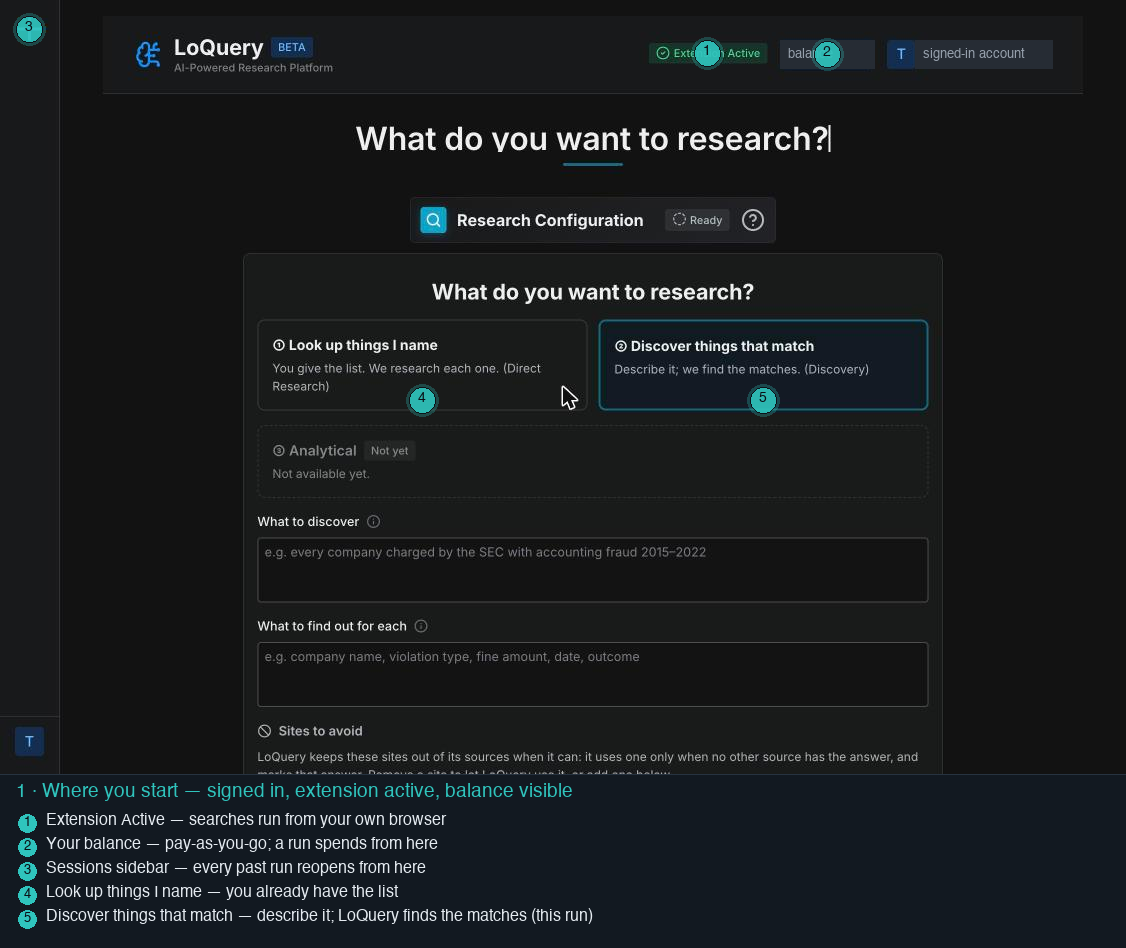
The header with the extension status and your balance, and the two ways to ask: name the things yourself, or describe them and let LoQuery find the matches.
Checking that the extension in this browser is live, because that is where the searching will happen.
The searches and page reads run from your own browser, not a shared scraping service. Your balance is yours to watch: a run spends from it and nothing recurs.
Telling LoQuery what you want
Two boxes carry the whole brief: the question, and the facts you want for each result. Everything else has a sensible default you can leave alone.
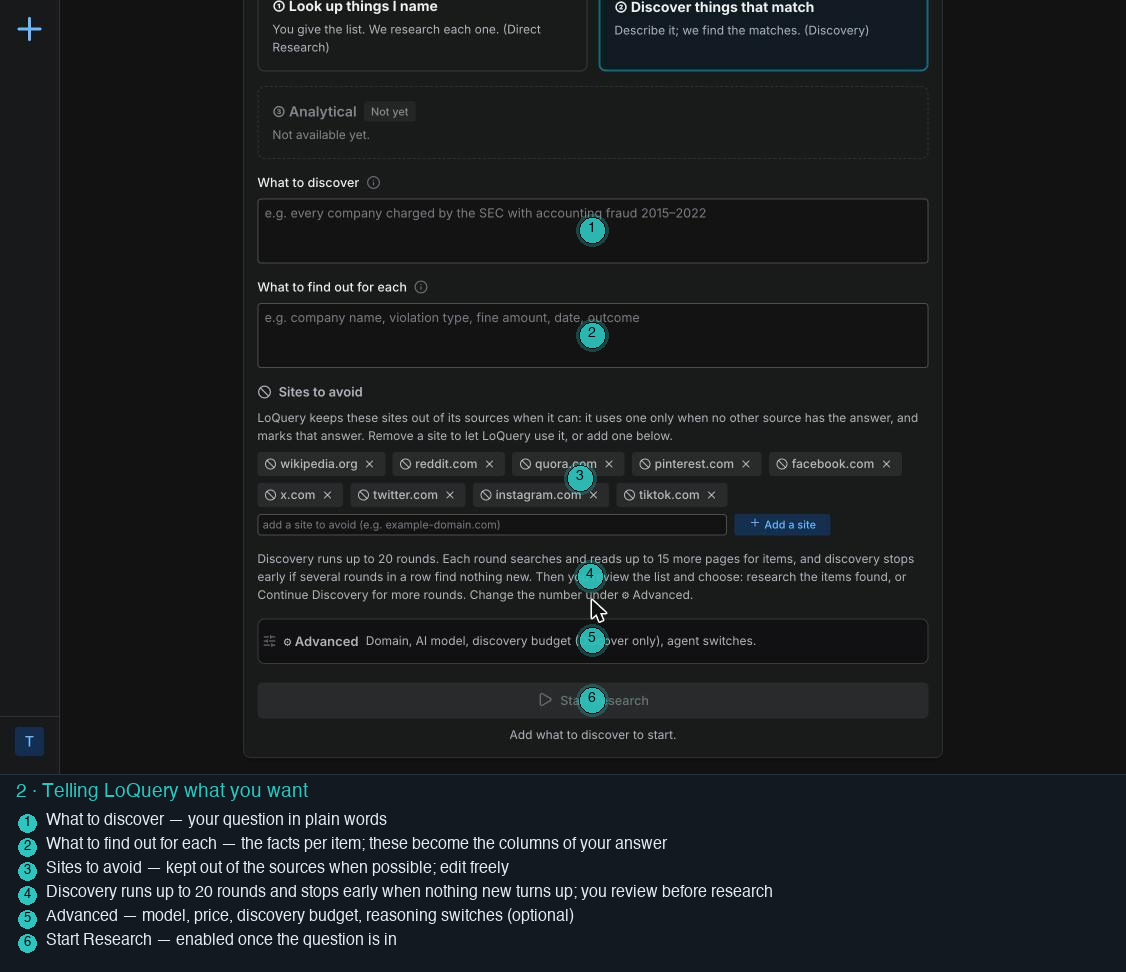
The two text boxes, the list of sites LoQuery keeps out of its sources when it can (Wikipedia, Reddit, social media by default), and a plain sentence about how discovery runs.
Nothing yet. It waits for a question. Start Research stays off until one is in.
"What to find out for each" is the contract: those facts become the columns of your table. The sites-to-avoid list is yours to edit.
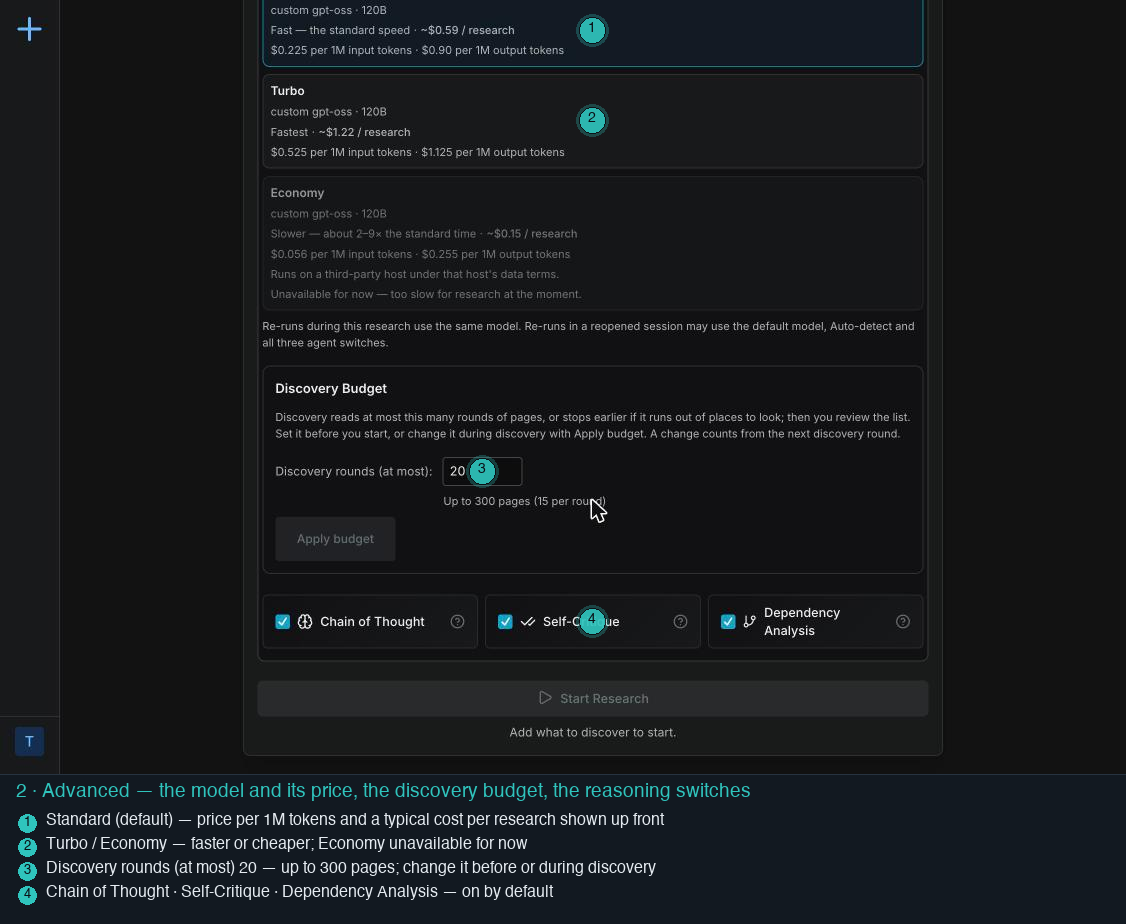
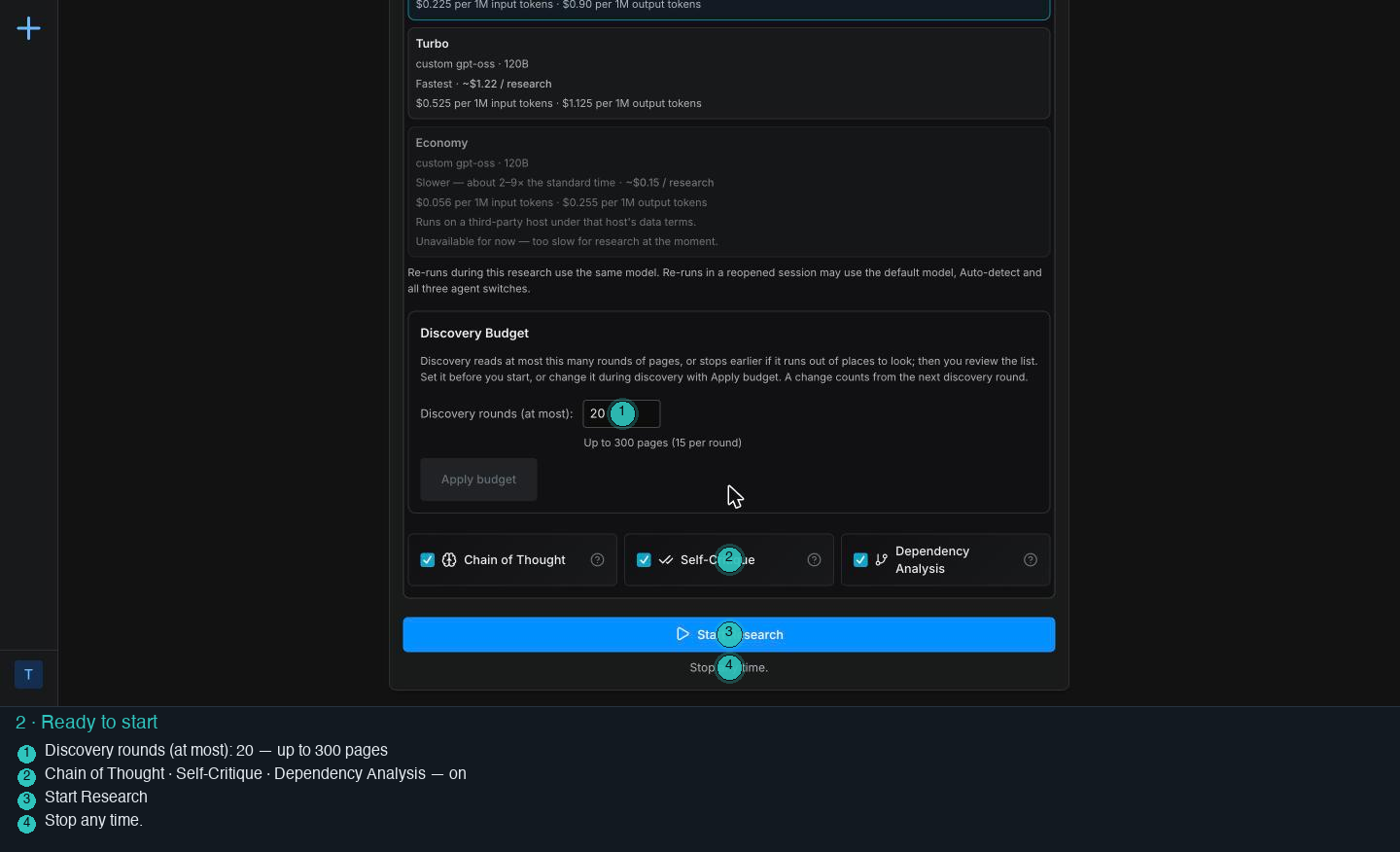
The model choice with its price printed beside it, the discovery budget (20 rounds, up to 300 pages), and three reasoning switches that are on by default.
No hidden pricing: the standard model is about $0.59 per research, the fast one about $1.22, and you can change the discovery budget before or during a run.
The run starts
The page splits in two: your brief stays on the left, the live run opens on the right. From here on you watch the work, and you can steer it.
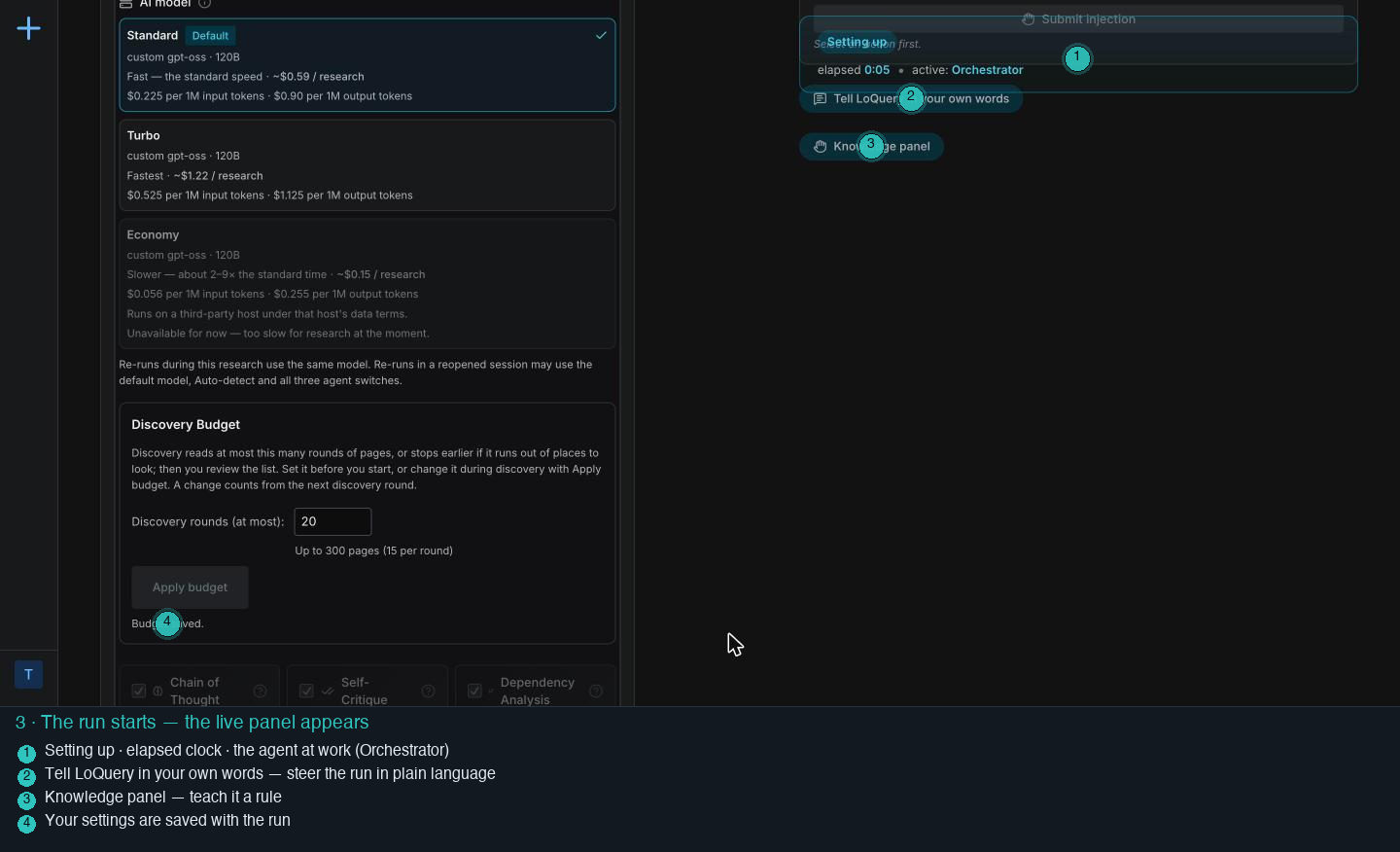
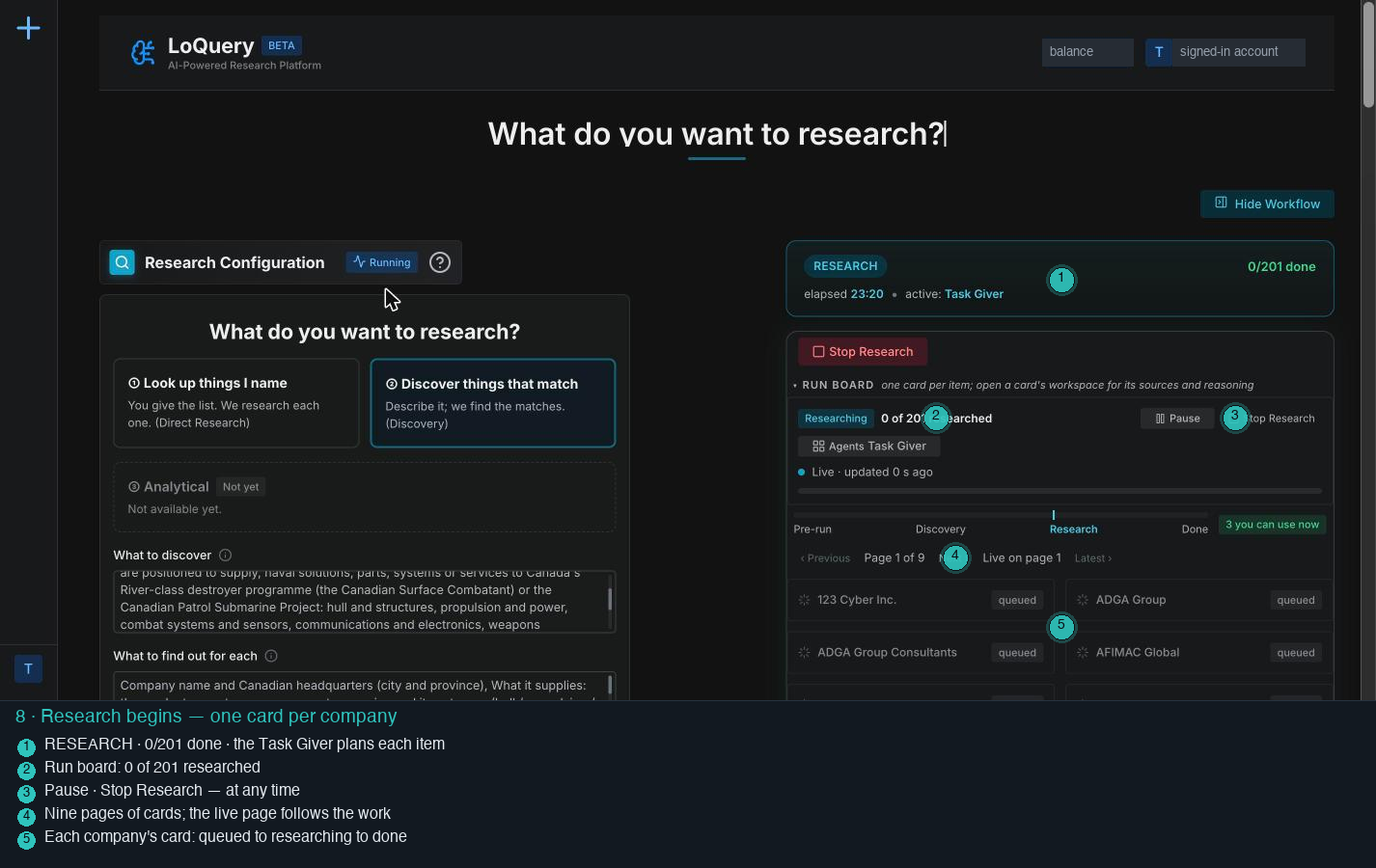
A header that names the current stage, an elapsed clock and the agent at work. Below it, a board that will hold one card per company, and the steering controls.
Reading your question, setting the discovery budget you chose, and preparing the first searches.
You are never looking at a spinner. The panel says what is happening, and "Tell LoQuery in your own words" lets you redirect it in plain language while it runs.
The price, before it adds up
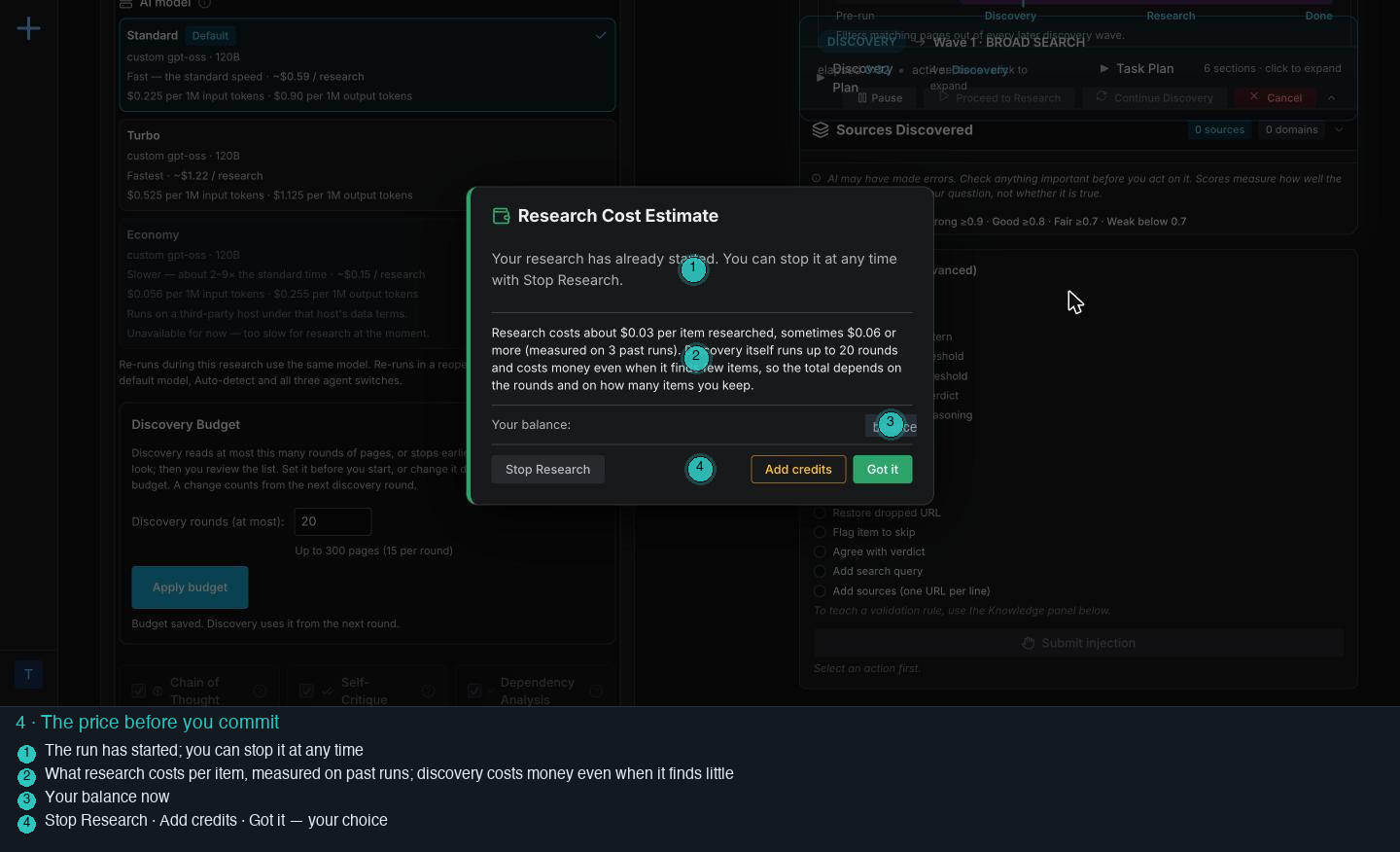
What research costs per item (about three cents, sometimes six or more), a note that discovery itself costs money even when it finds little, your balance, and three buttons.
Estimating from its own past runs. The run has already begun by the time the dialog shows, and Stop Research ends it at once.
You see the shape of the bill before the work is done, in dollars, next to your balance.
Discovery, watched live
LoQuery turns the question into search queries, reads the pages the searches return, and pulls candidate companies out of them, round after round. You watch the list grow and you can stop it, pause it, or send it to research at any point.
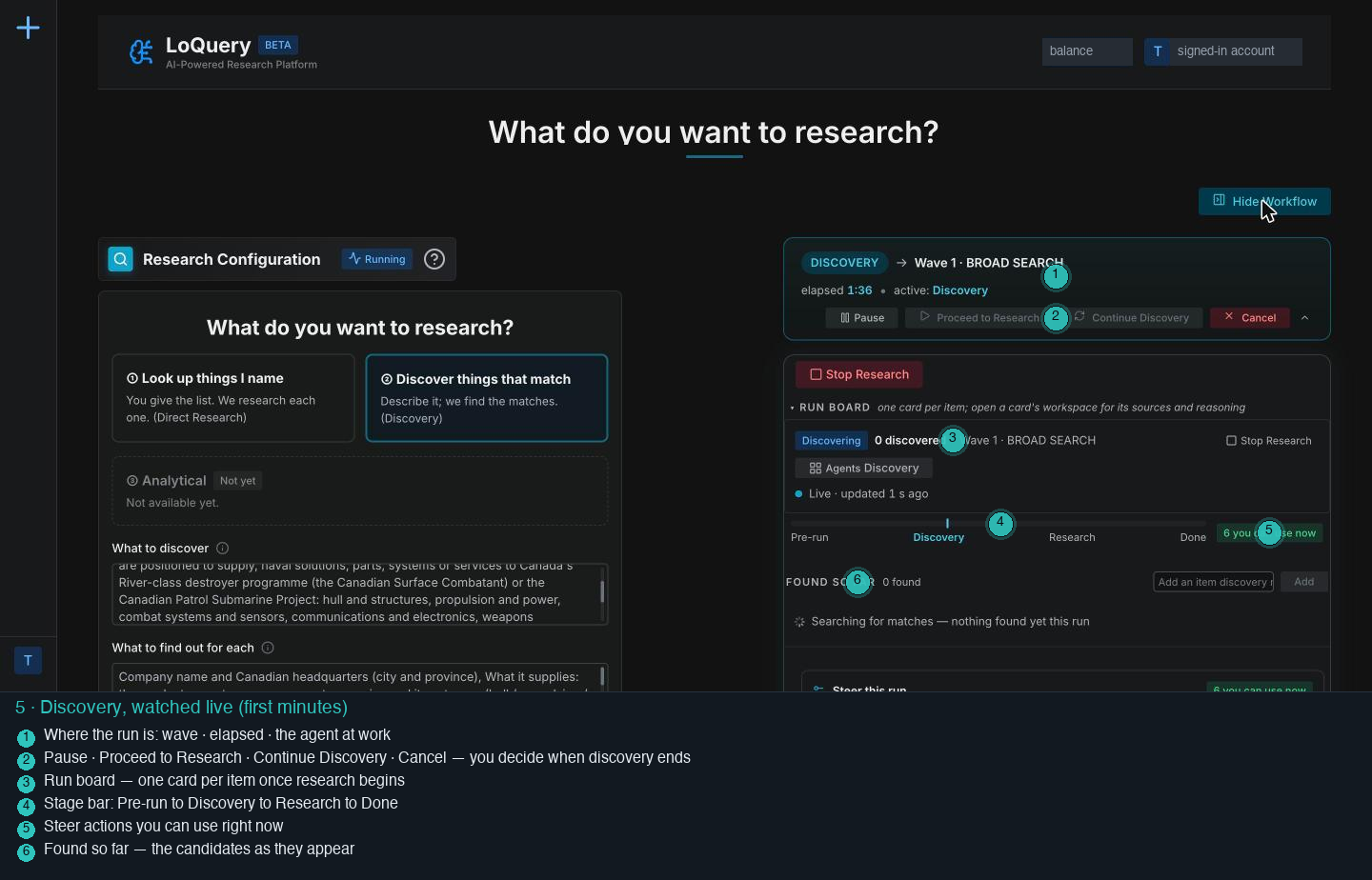
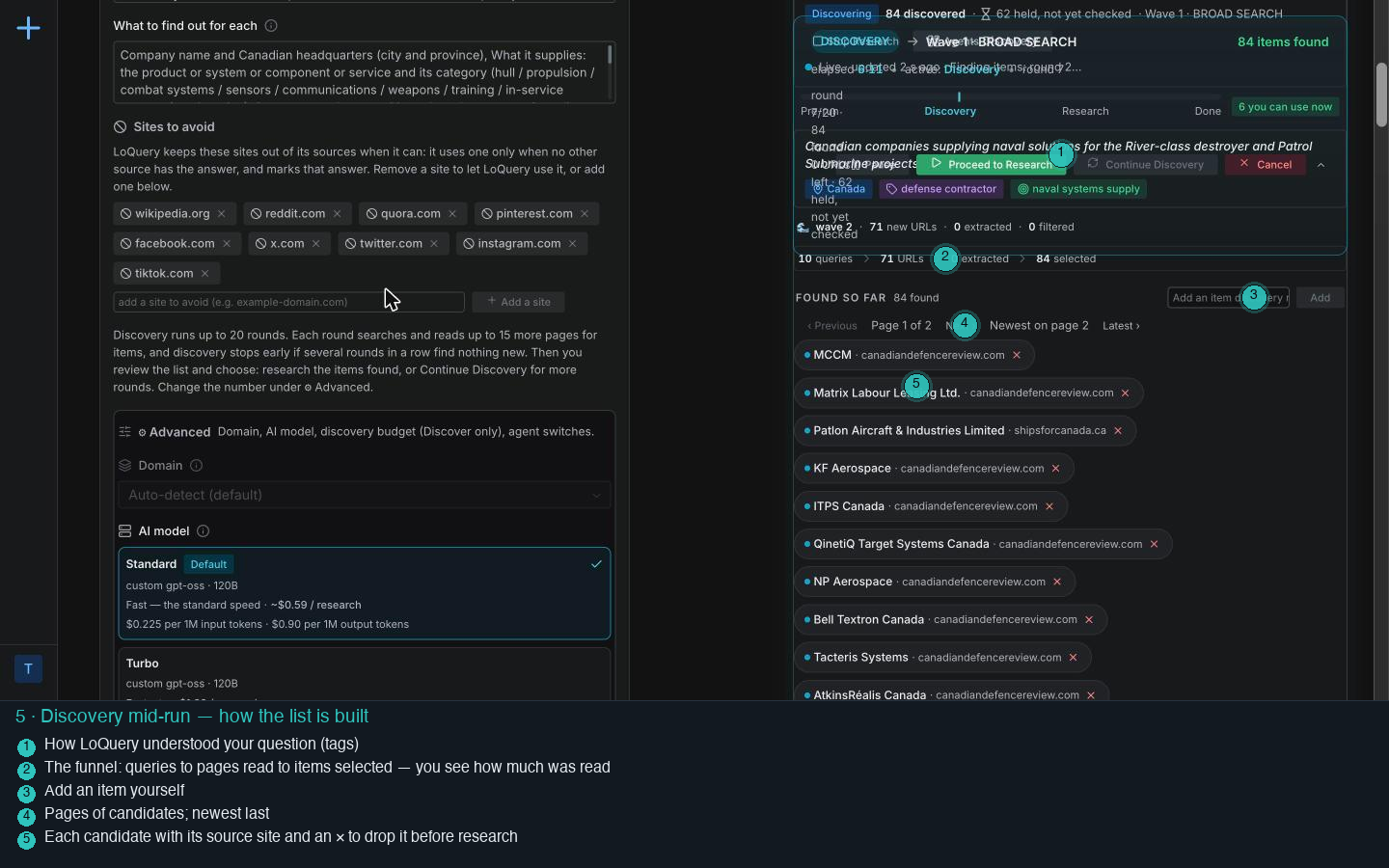
How LoQuery understood the question (as tags), a funnel line that says how many queries and pages produced the list, and every candidate with its source and an × to drop it.
Four waves of searching: a broad search, a focused expansion, a deep dive and a last pass, up to the 20 rounds you allowed. This run used all 20 and read 210 pages across 49 sites.
Nothing is hidden. You can see the yards and primes arrive (Irving, Seaspan, Davie, Lockheed Martin Canada, Thales Canada, Babcock Canada, TKMS Canada, Ultra Maritime, OSI Maritime, BMT Canada, Kraken Robotics) and you can see where each came from.
What LoQuery holds back, and why
Not every name it reads becomes an item. Some are held for a second look, some are rejected with a reason, and some are left for you to decide.
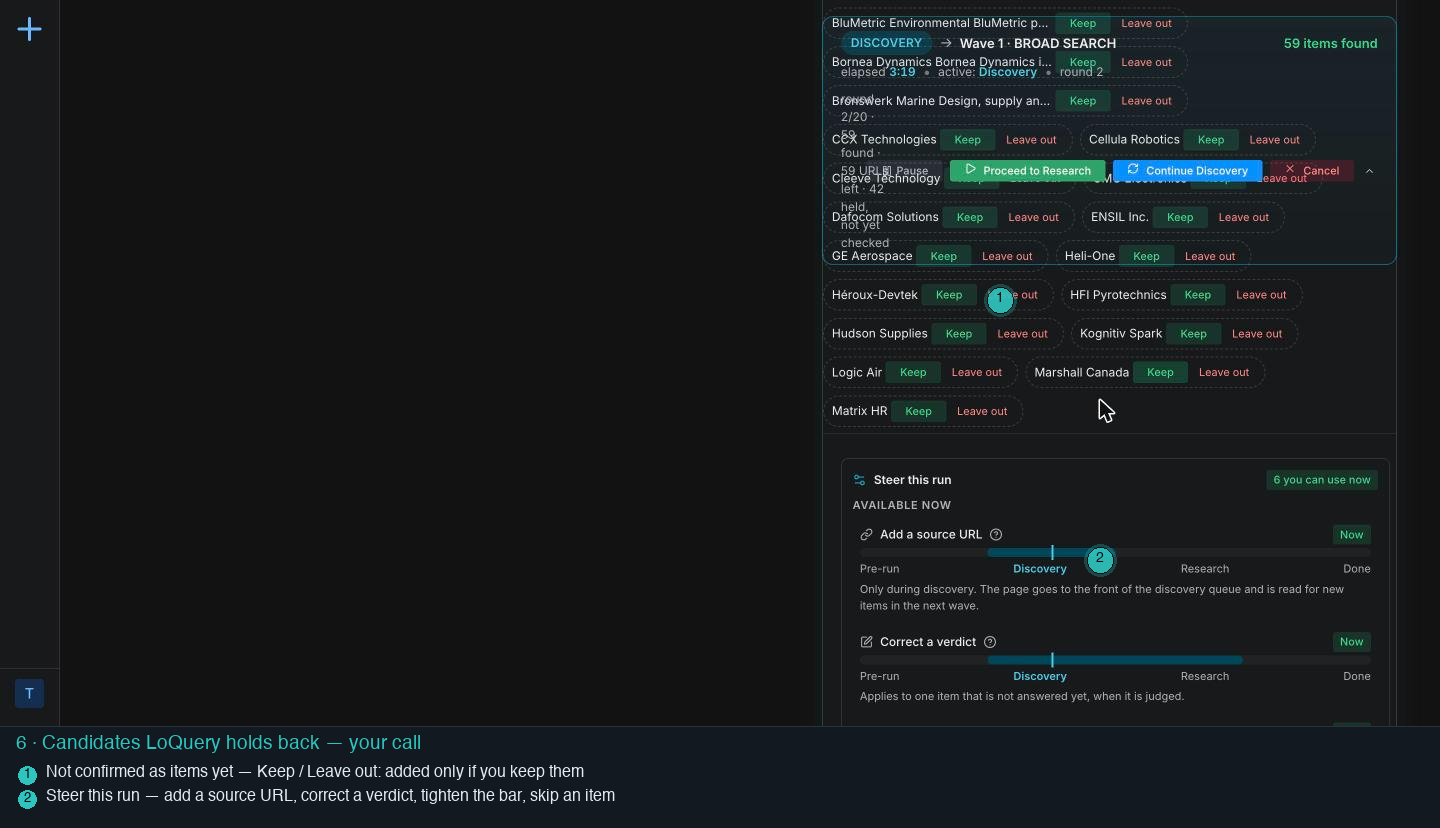
Names that LoQuery is not sure about, with the one-line description it found and two buttons. Below them, the steering actions you can use right now.
Verifying the uncertain names on its own (in this run, Gastops was held, then confirmed and added), and rejecting off-topic ones with a written reason, for example "aerospace supplier, not a naval solutions provider".
A rejection with a reason can be found and reversed. A guess cannot.
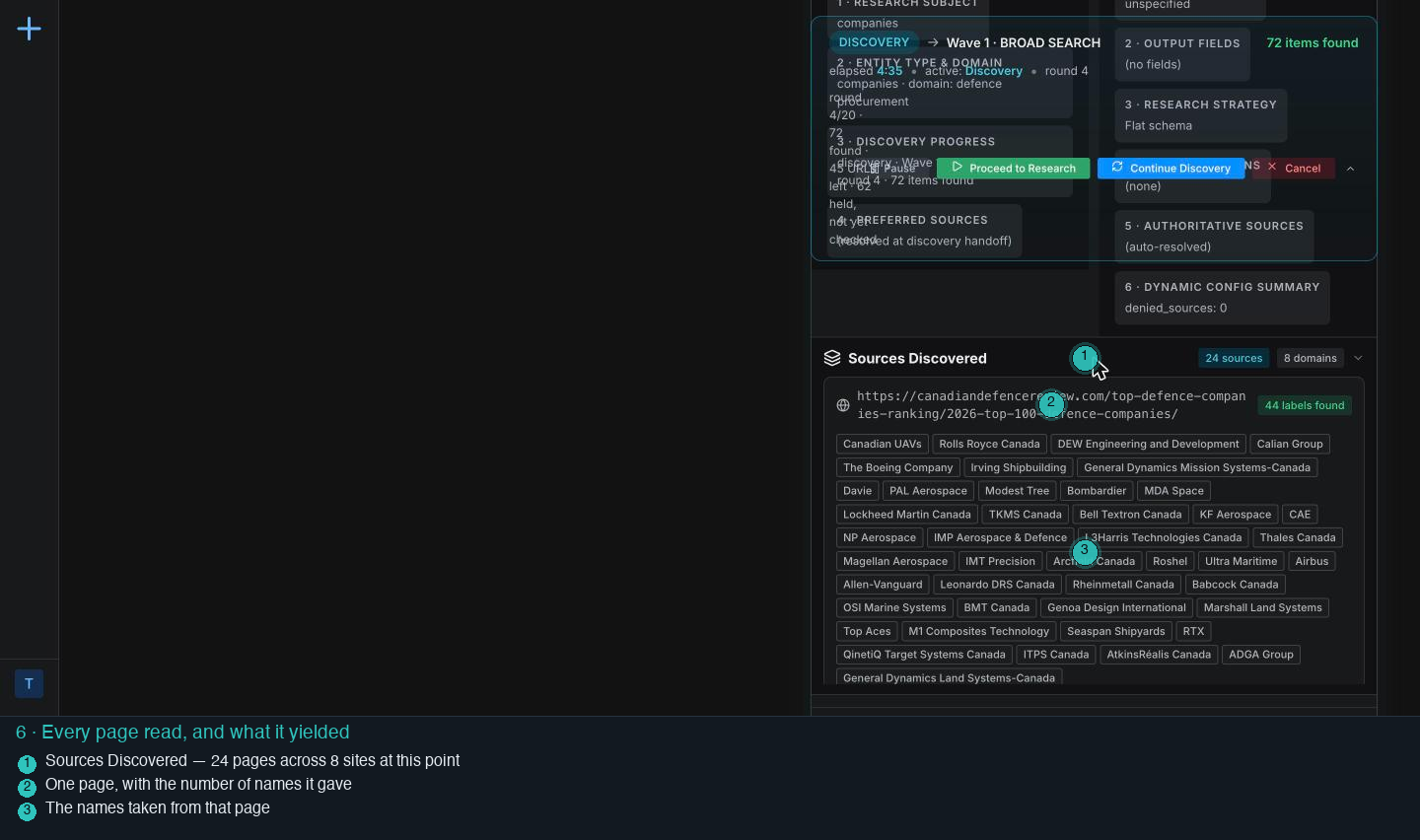
Discovery ends and waits for you
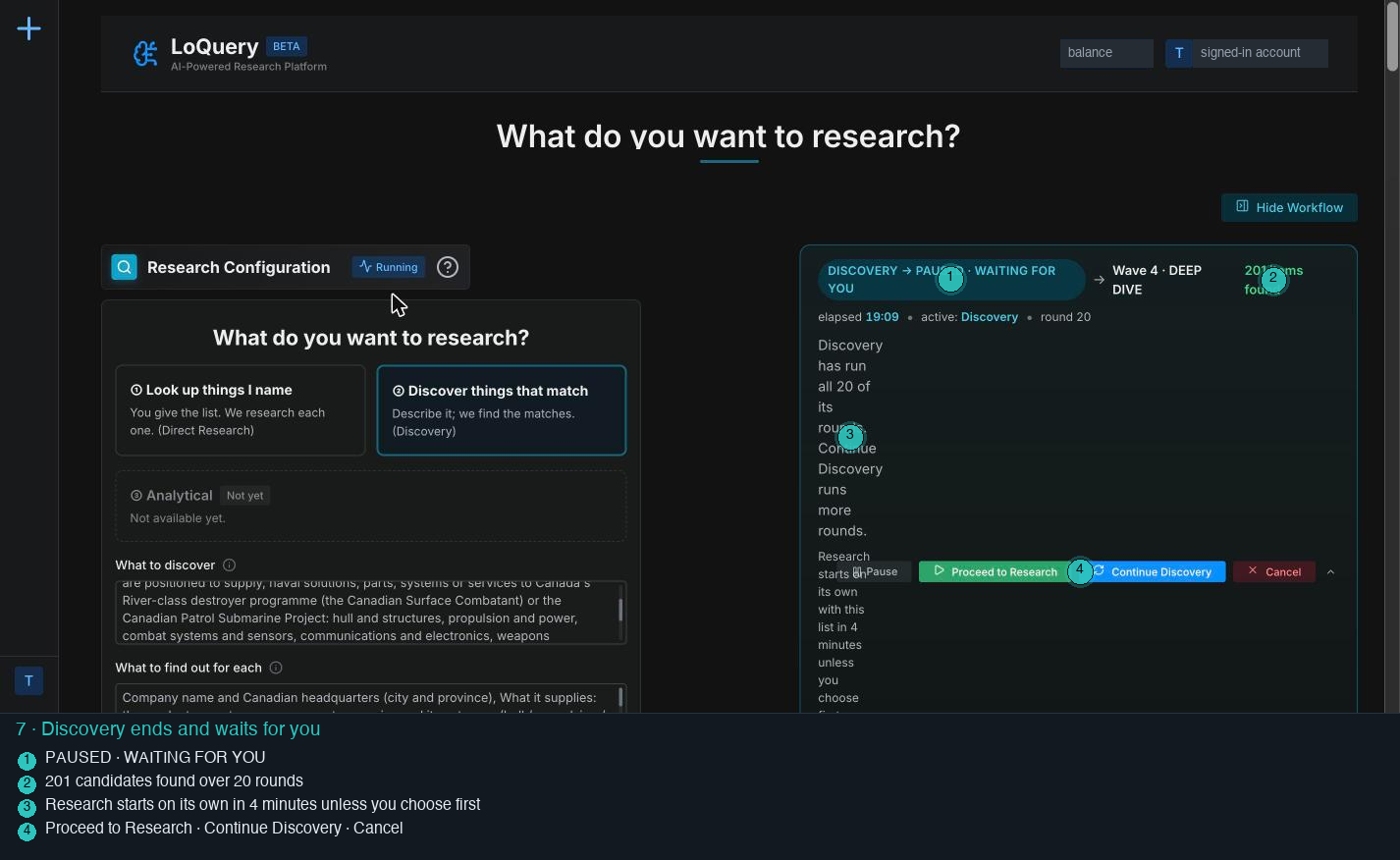
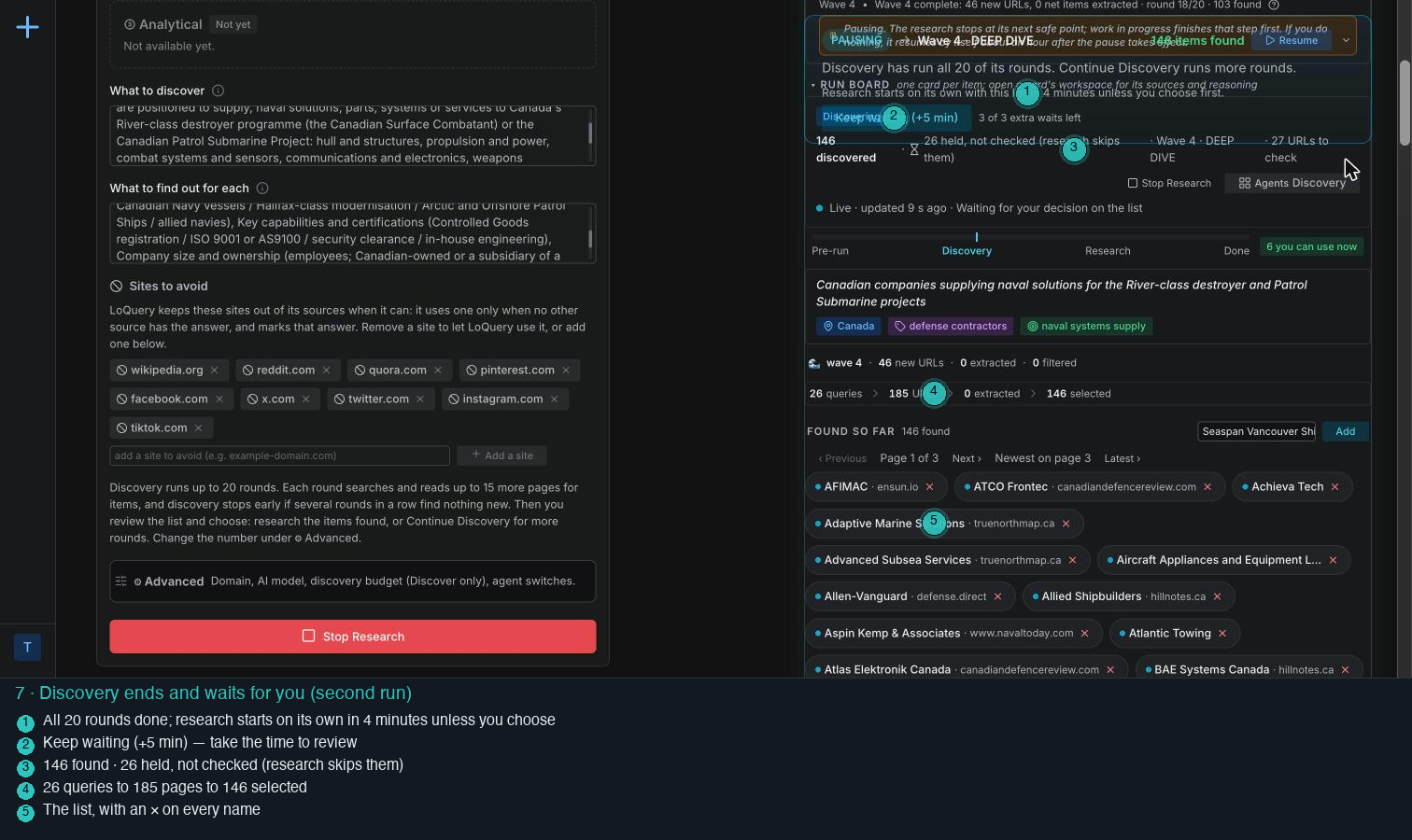
The end message, a four-minute timer you can extend, the full candidate list with a remove control on each name, and the choice: research the list, run more discovery, or cancel.
Waiting. Names it could not confirm are marked "held, not checked" and research skips them unless you keep them.
This is the moment that keeps the thinking human: the list is yours to prune before any research money is spent on it.
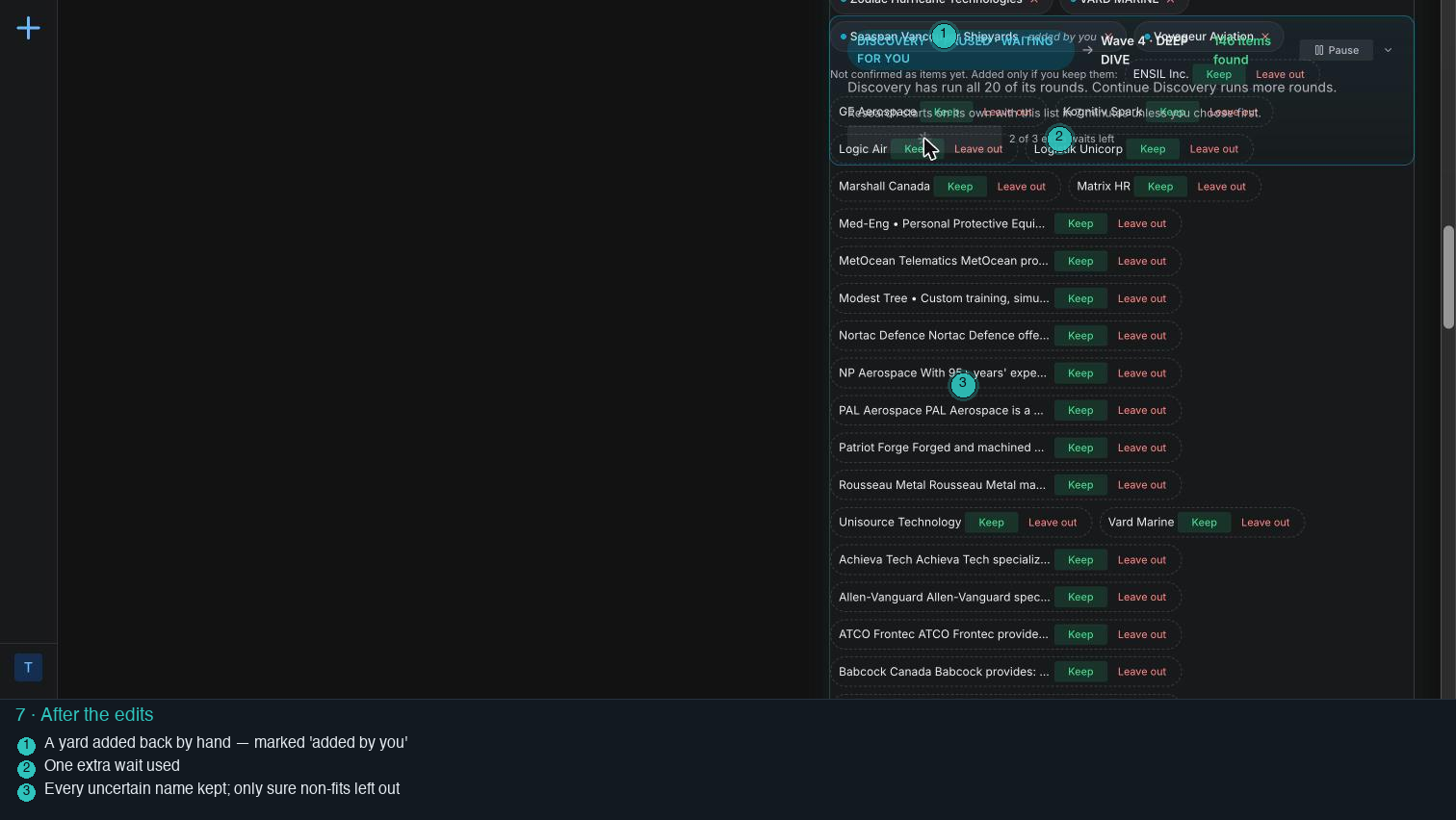
Pruning the list: only what you know for sure
The first run showed why this step matters: a directory page had put aerospace and land firms on a naval list. In the second run the list was pruned by one rule: leave out only the names known for sure not to fit, and keep every uncertain one so LoQuery researches the doubt instead of you guessing it.

The plan behind the research
Before the first page is read for any company, LoQuery writes down what it is going to do, and shows it.
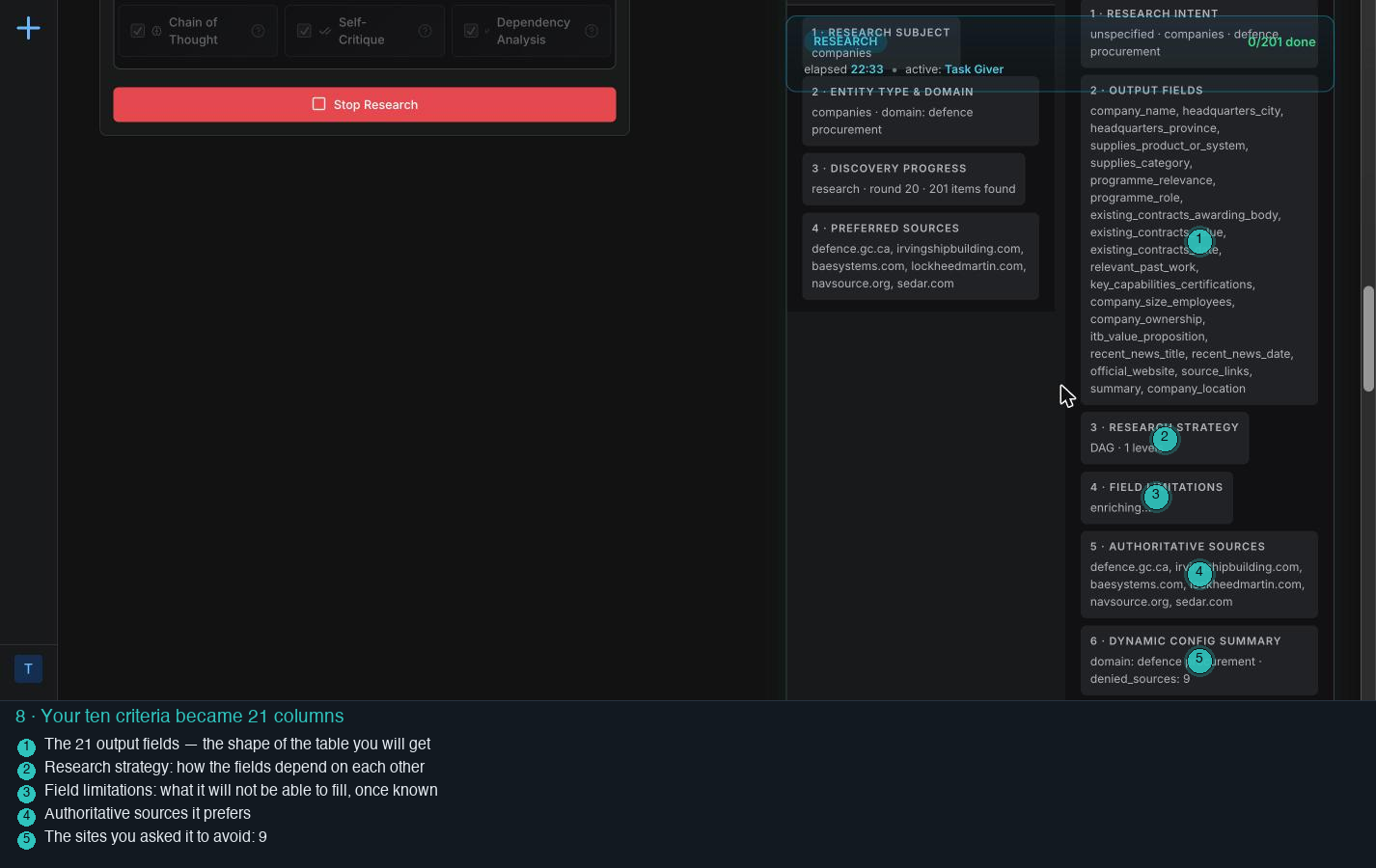
Your ten criteria have become 21 named columns: headquarters city and province as two, the contract's awarding body, value and date as three, recent news as a title and a date, plus a summary, the website and the source links.
Deciding the order it will fill the fields in, and the sources it will prefer for this topic: defence.gc.ca, the yards' and primes' own sites, navsource, SEDAR.
The shape of your answer is fixed and visible before the work starts. What it will not be able to fill is listed too, as field limitations.
One company, end to end
Open any card and you get the whole story for that company: the answer with its receipts, how it was found, and a second opinion on the verdict.
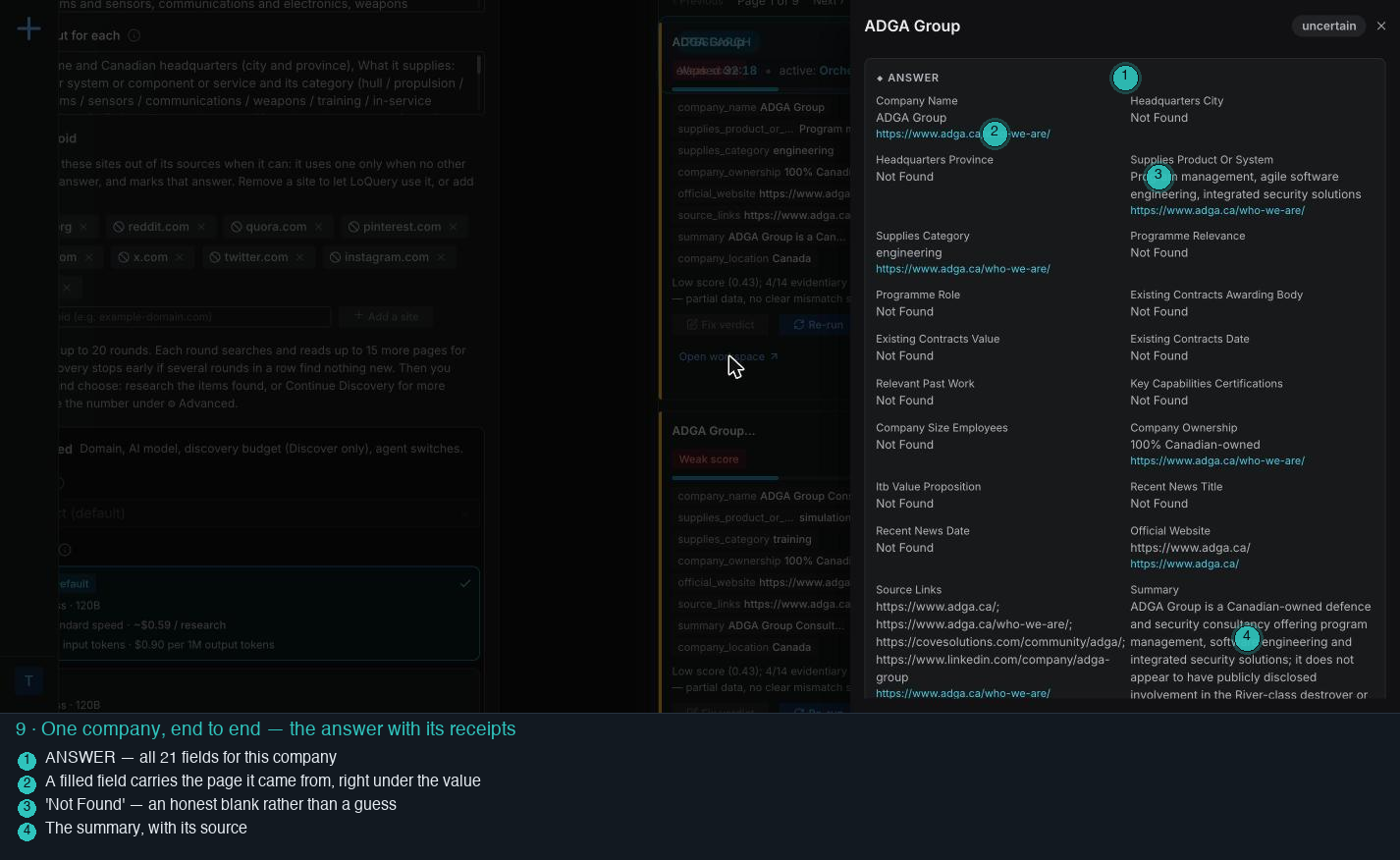
All 21 fields for this company. Each filled one shows its value and, under it, the page it came from. Ten of the fourteen evidence fields are "Not Found" here, and the summary says plainly that no public link to either programme was found.
Writing down what it could prove and what it could not, instead of filling the gaps with plausible text.
A blank you can see is cheaper than a guess you have to catch. The verdict for this company is "uncertain", which is the right answer for a consultancy with no naval work on record.
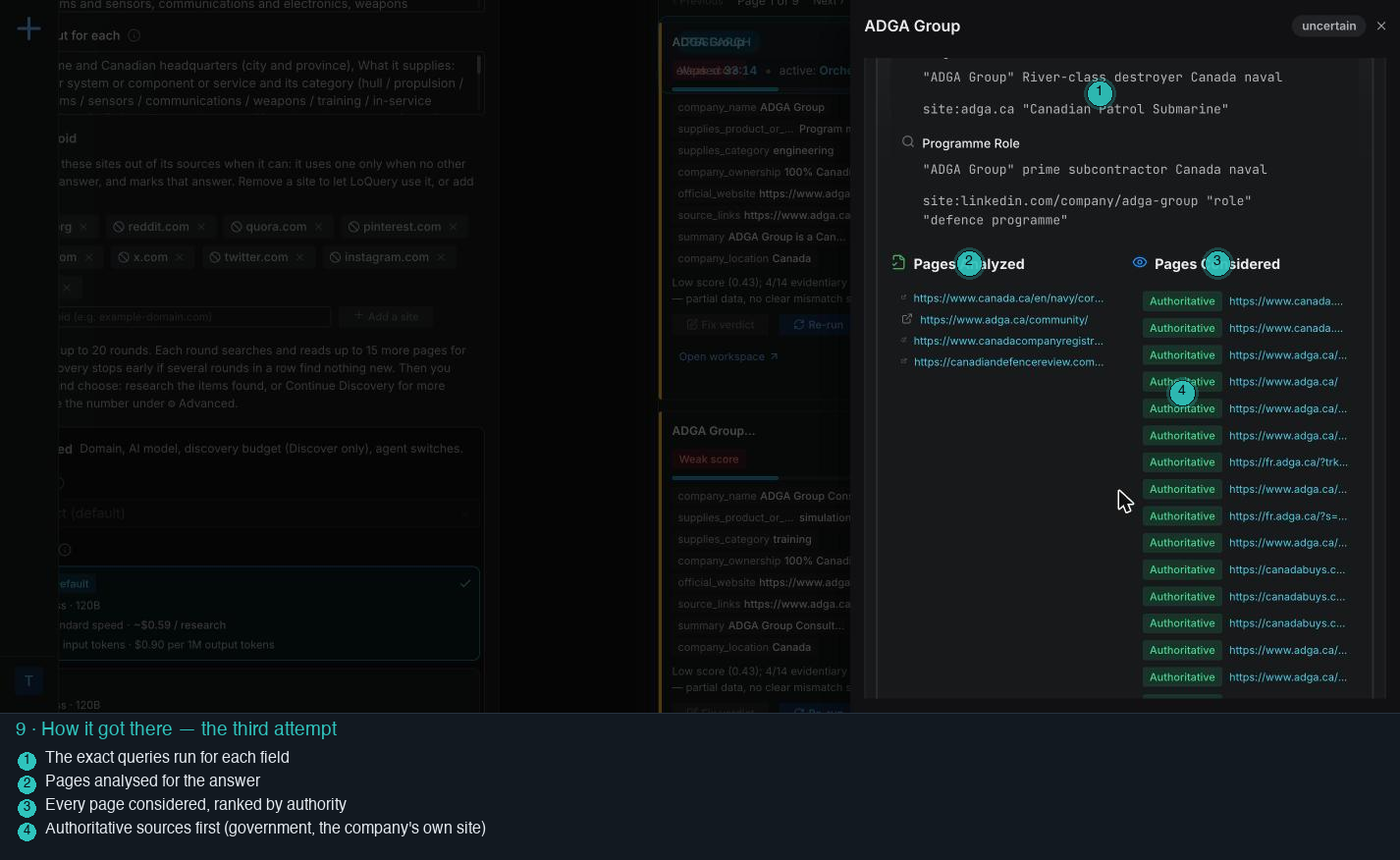
The exact search queries for each field, the pages that were read for the answer, and every page considered, ranked Authoritative, Reliable, General or Low.
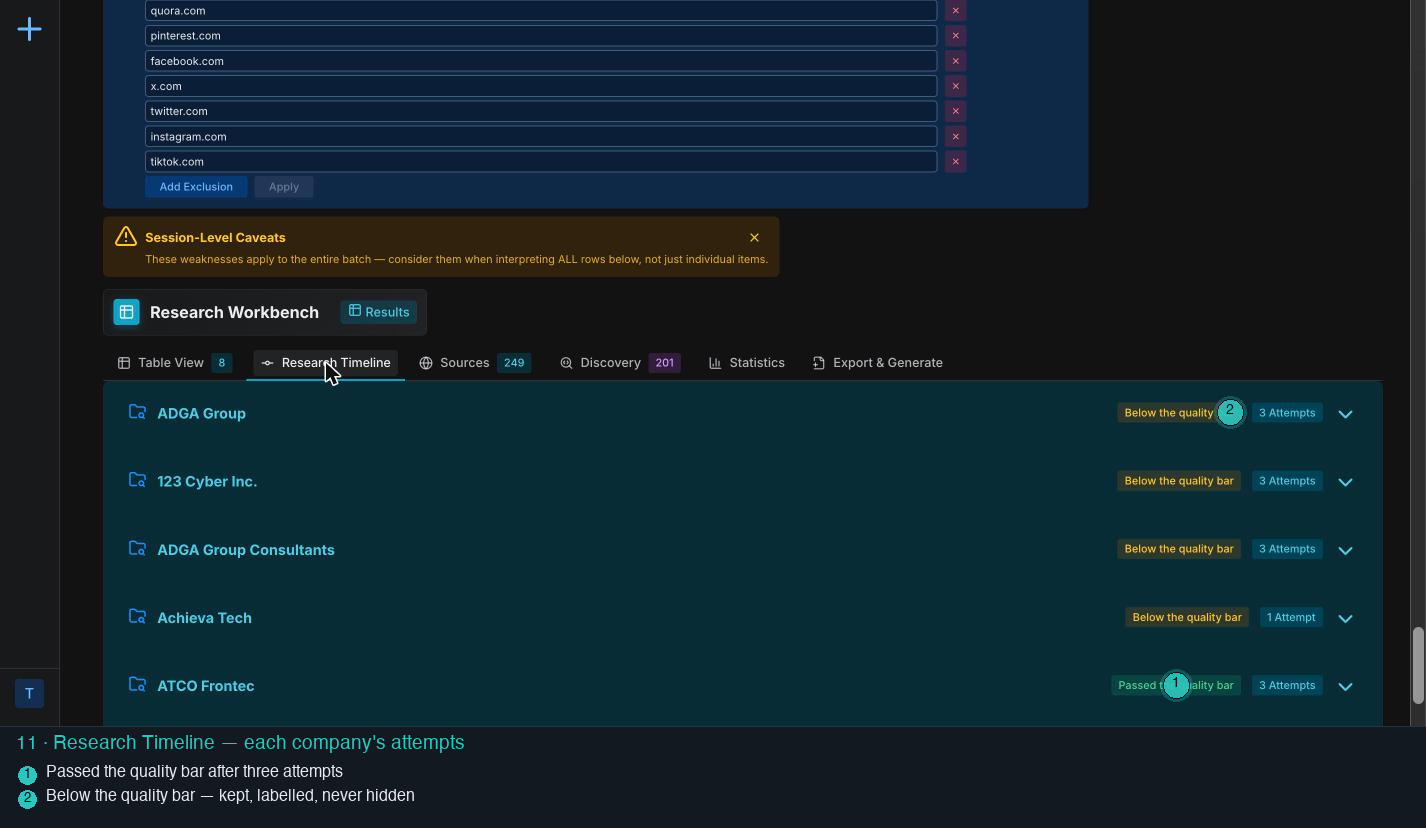
A precision pass first, then a broader one, then an exhaustive one with site-specific searches (the company's own site, SEDAR, the contract registers), stopping when the quality bar is met or the attempts run out.
You can audit the method, not just the result. A separate check then reviews the verdict and states whether it agrees with the scoring rules, and the fields are checked against each other for coherence.
When a search engine pushes back
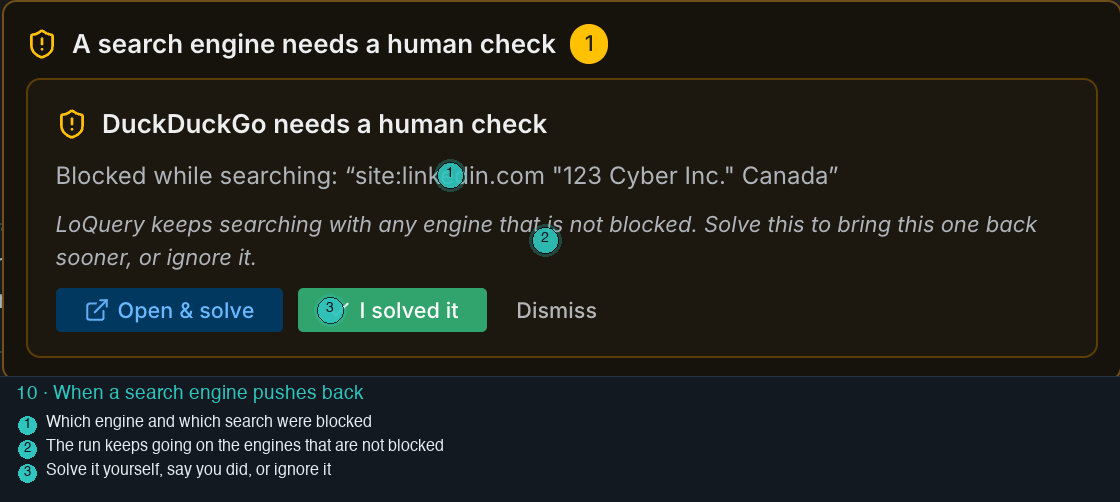
Which engine asked for a human check and on which search, with three choices: open and solve it, say you solved it, or dismiss it.
Moving that search to the engines that are not blocked and carrying on. Nothing stalls.
Because the searching runs from your browser, a challenge is yours to answer if you want that engine back sooner. The run does not depend on it.
The table in your columns
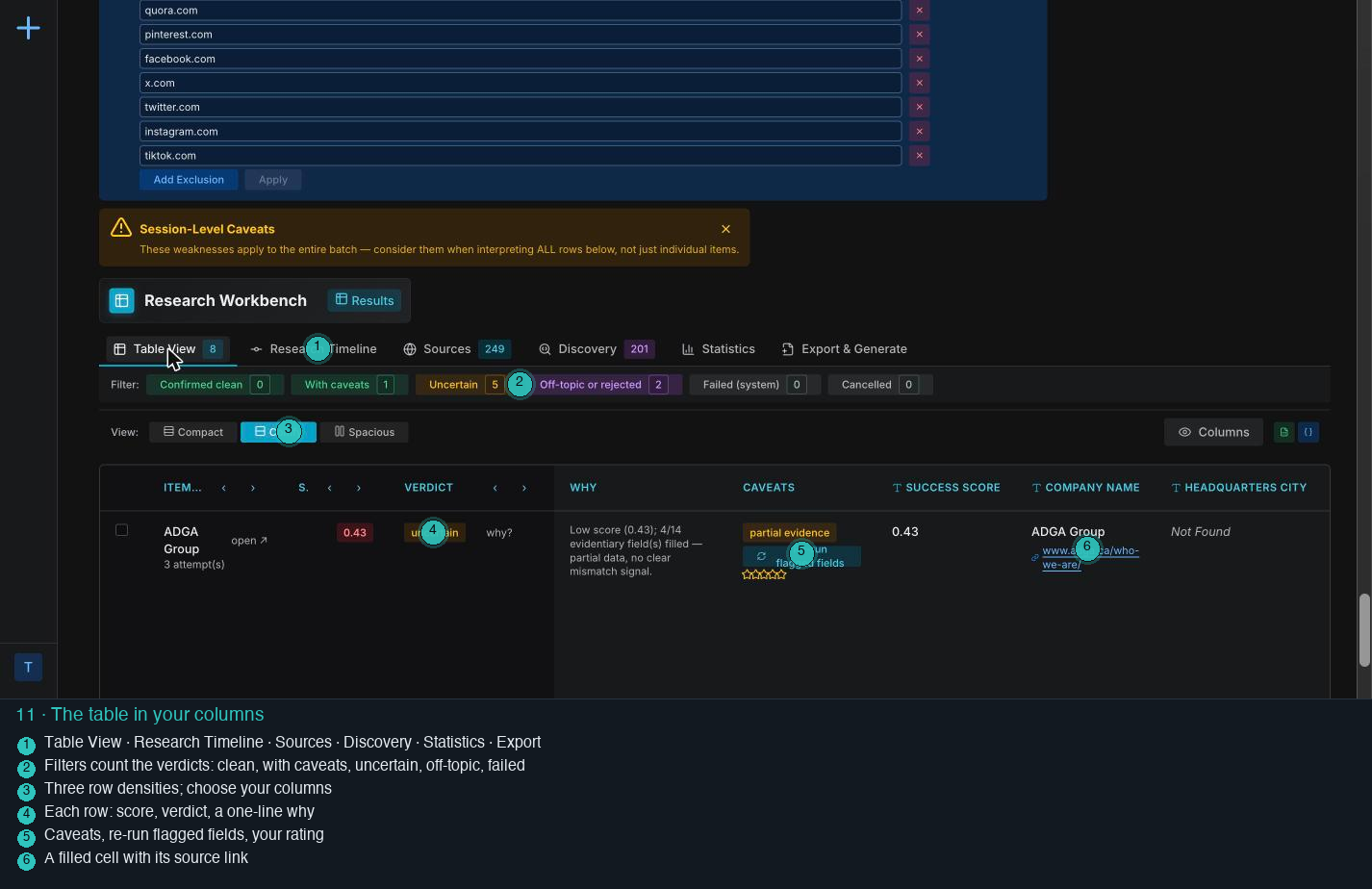
Filters that count the verdicts (confirmed clean, with caveats, uncertain, off-topic or rejected, failed, cancelled), three row densities, a column chooser, and rows that carry a score, a verdict, a one-line why, notes and a source link per filled cell.
Filling the table as each company finishes, and saving progress as it goes.
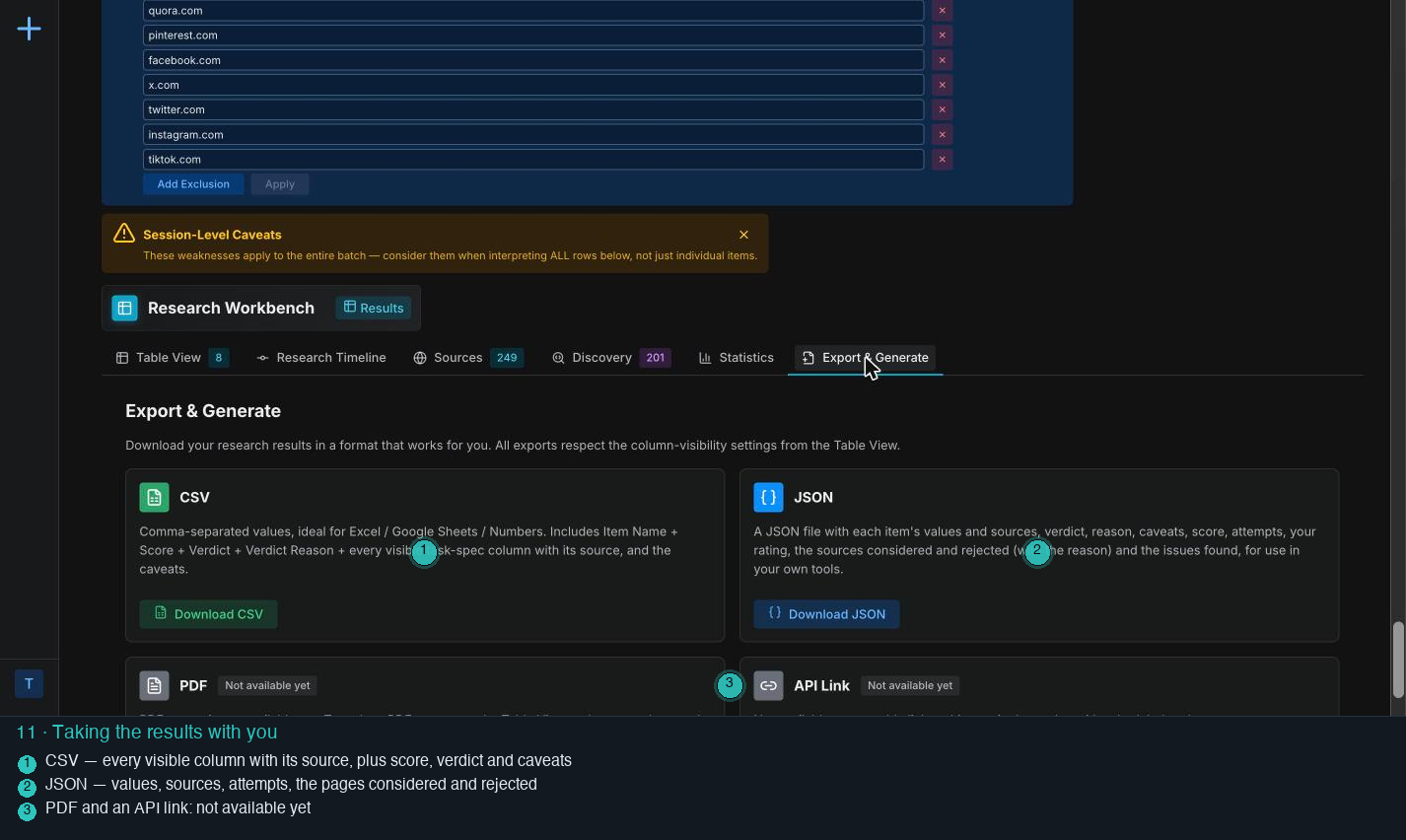
This is the deliverable: a supplier table you can sort, filter, check cell by cell, and hand to someone else.
Honest failures
Companies that scored low or were judged off-topic are not hidden. A "things to check" panel counts them and shows them on request, each with its reason, and every low score says which fields were missing.
Partway through this run: two companies judged off-topic (zero evidence fields filled, a structural mismatch) and several marked uncertain with four or five of fourteen evidence fields found.
Fix the verdict if you know better, re-run the flagged fields, teach a rule for the items still to come, or leave it as an honest gap.
Stop any time, and what it costs
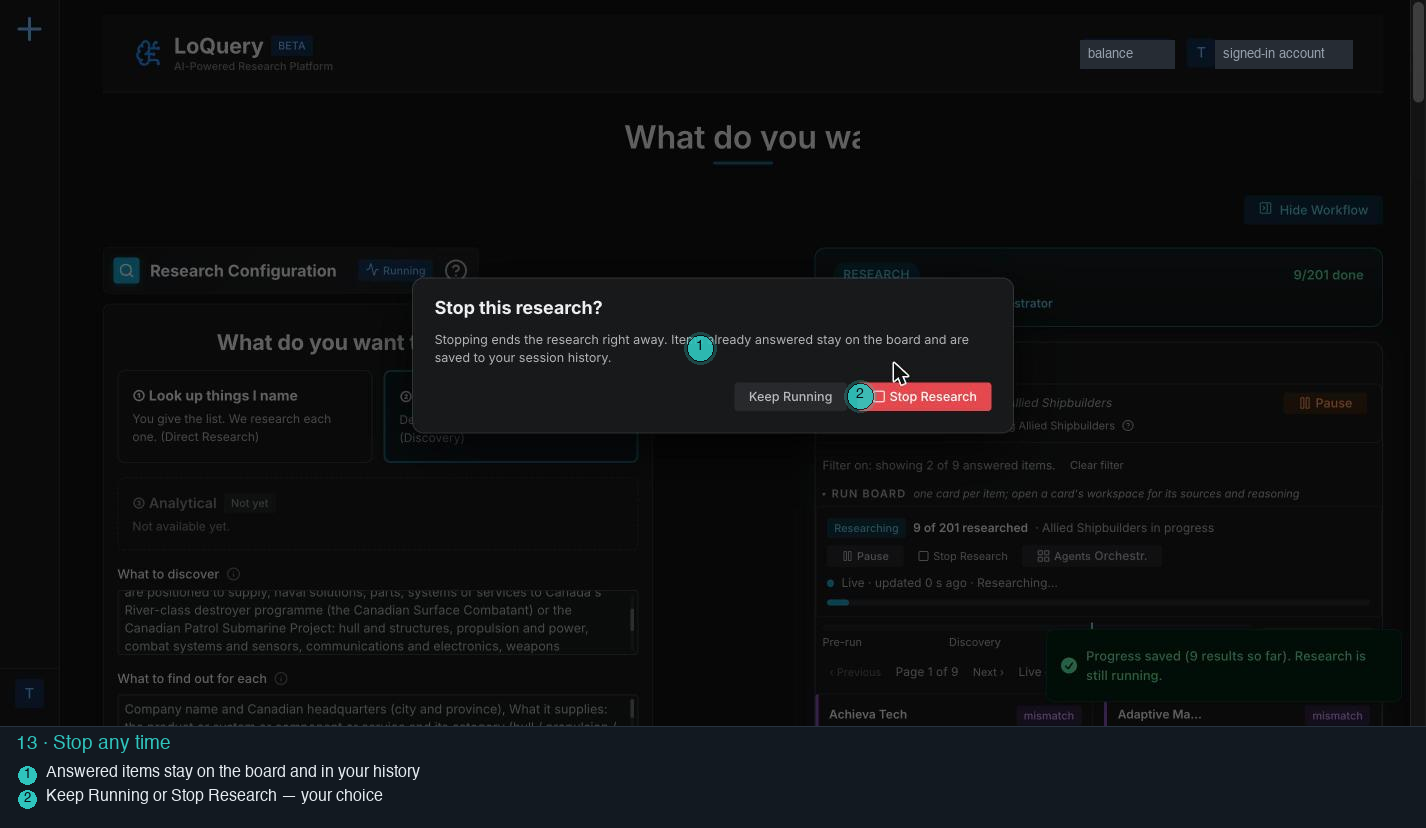
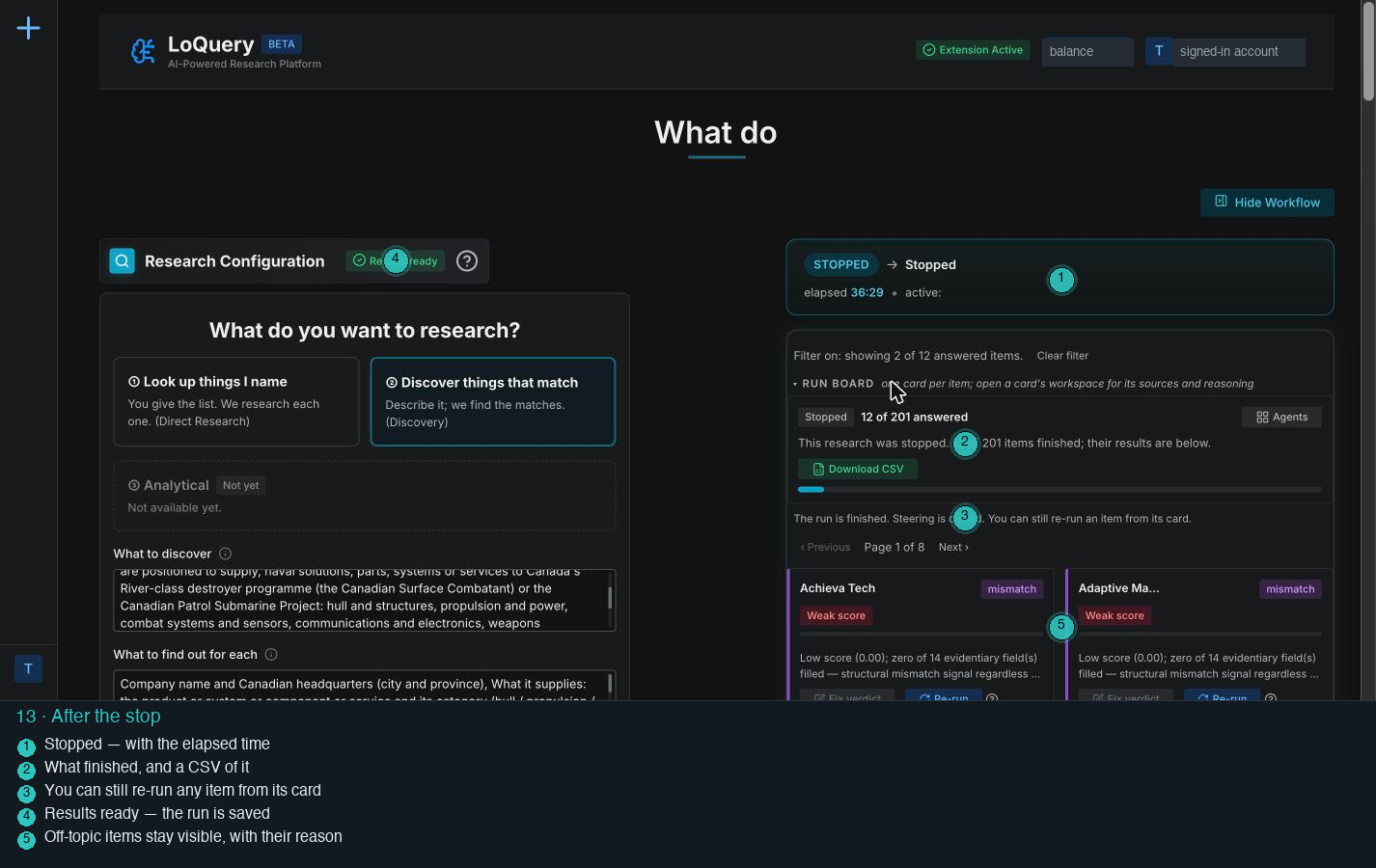
The run marked Stopped with its elapsed time, the count of answered items, a CSV of them, and the note that any item can still be re-run from its card.
Closing the books: the first run's close-out recorded what the run actually used and what was charged, against the balance shown at the start.
Nothing you paid for disappears when you stop, and the charge is written down next to the usage.
The finished run, and coming back to it
The run researched all 150 companies kept after pruning and answered every one, 2 hours 32 minutes after it started. This is the board's own count at the end.
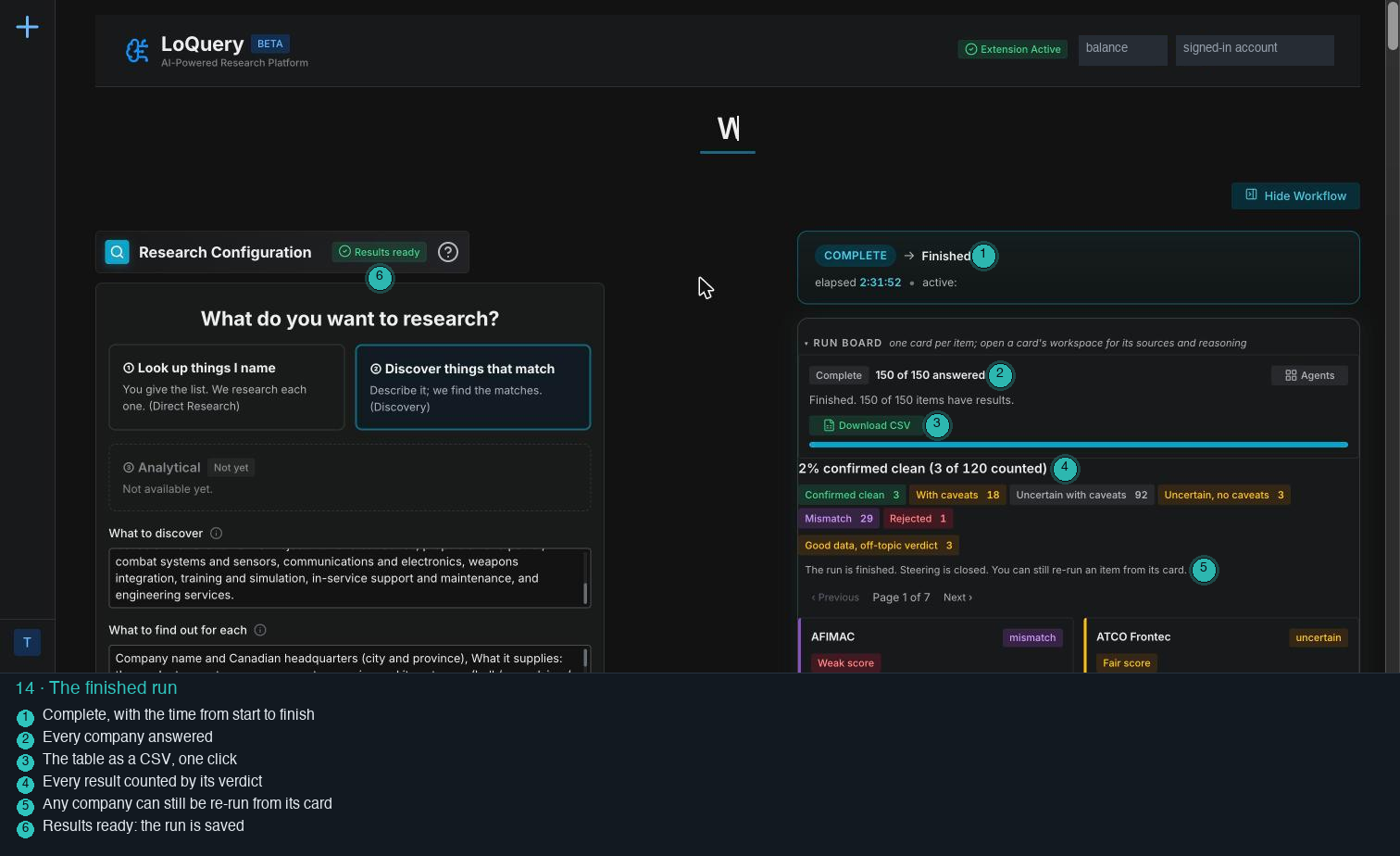
3 confirmed clean, 18 with caveats, 95 uncertain, 29 a mismatch, 1 rejected and 3 off-topic. The rest of the board is the table itself, one card per company.
Few companies came back clean, because ten facts per company is a high bar. Cells such as Industrial and Technological Benefits commitments and programme role often read Not Found: the run did not find a page that said them, and the table says so instead of filling the gap.
The uncertain rows are still a lead list with receipts. Each one is a company with the facts that were found, the page each came from, and the gaps marked, ready for someone to check.
Coming back to it
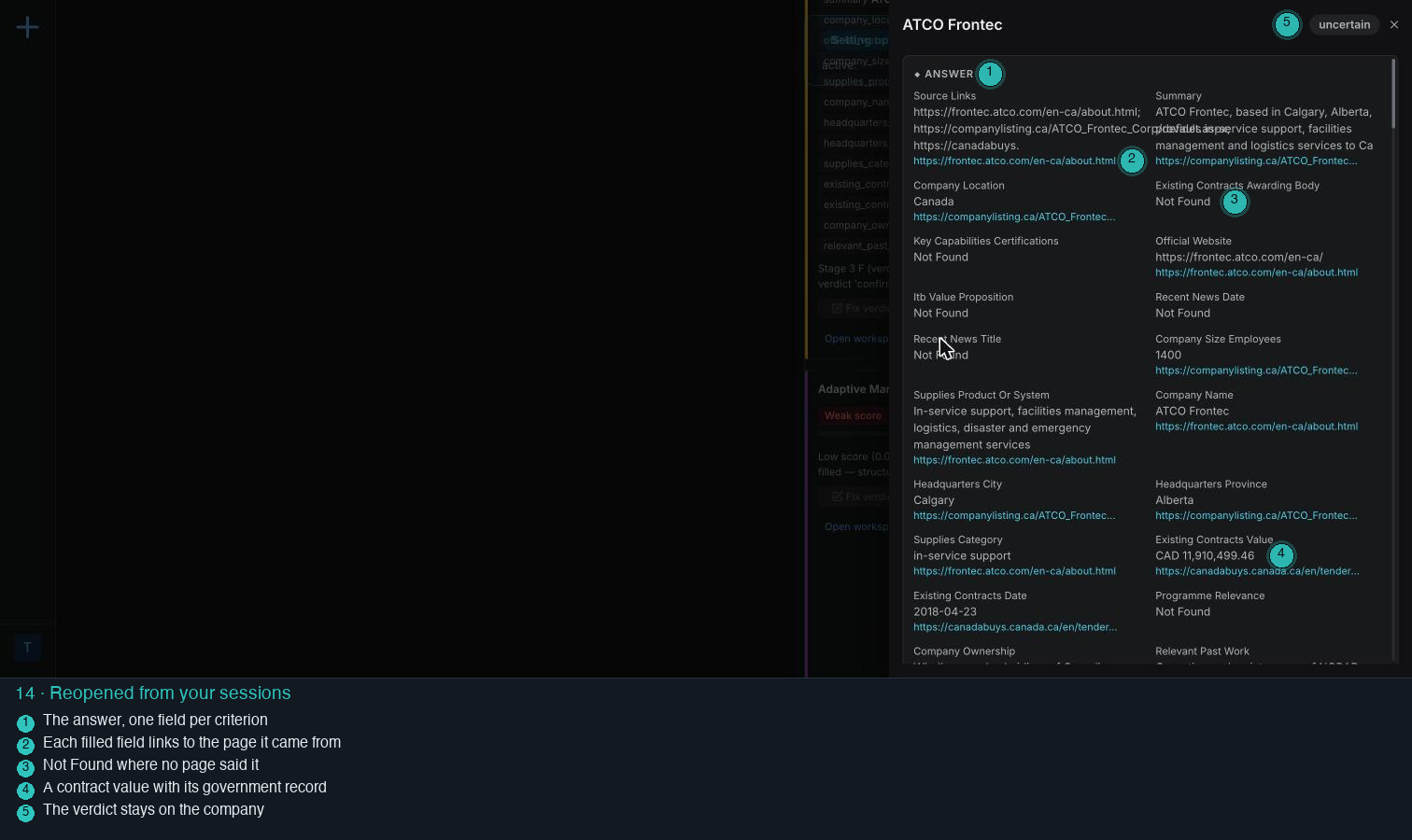
Every run is saved to your sessions. Reopening one brings back the board, all 21 columns, each cell's why, notes and source links, and each company's research attempts.